
Advice and answers from the Rixbo Team
Click on Rixbo Apps, and a new window will appear.
Click on the Login with Email button, and a new window will appear.
Click on the Log in button, and a new navigation menu will appear.
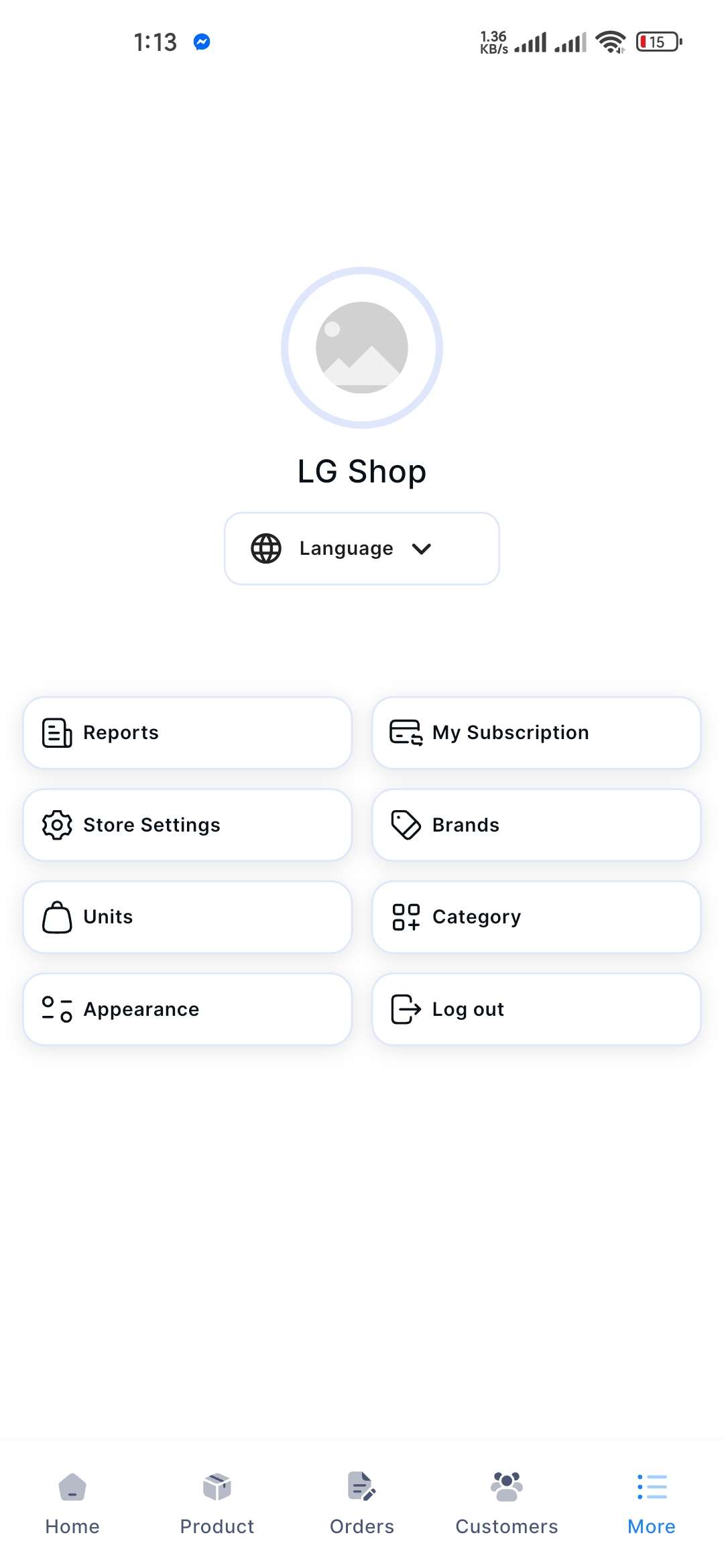
Click on the More button from the bottom navigation menu, and a new window will appear.
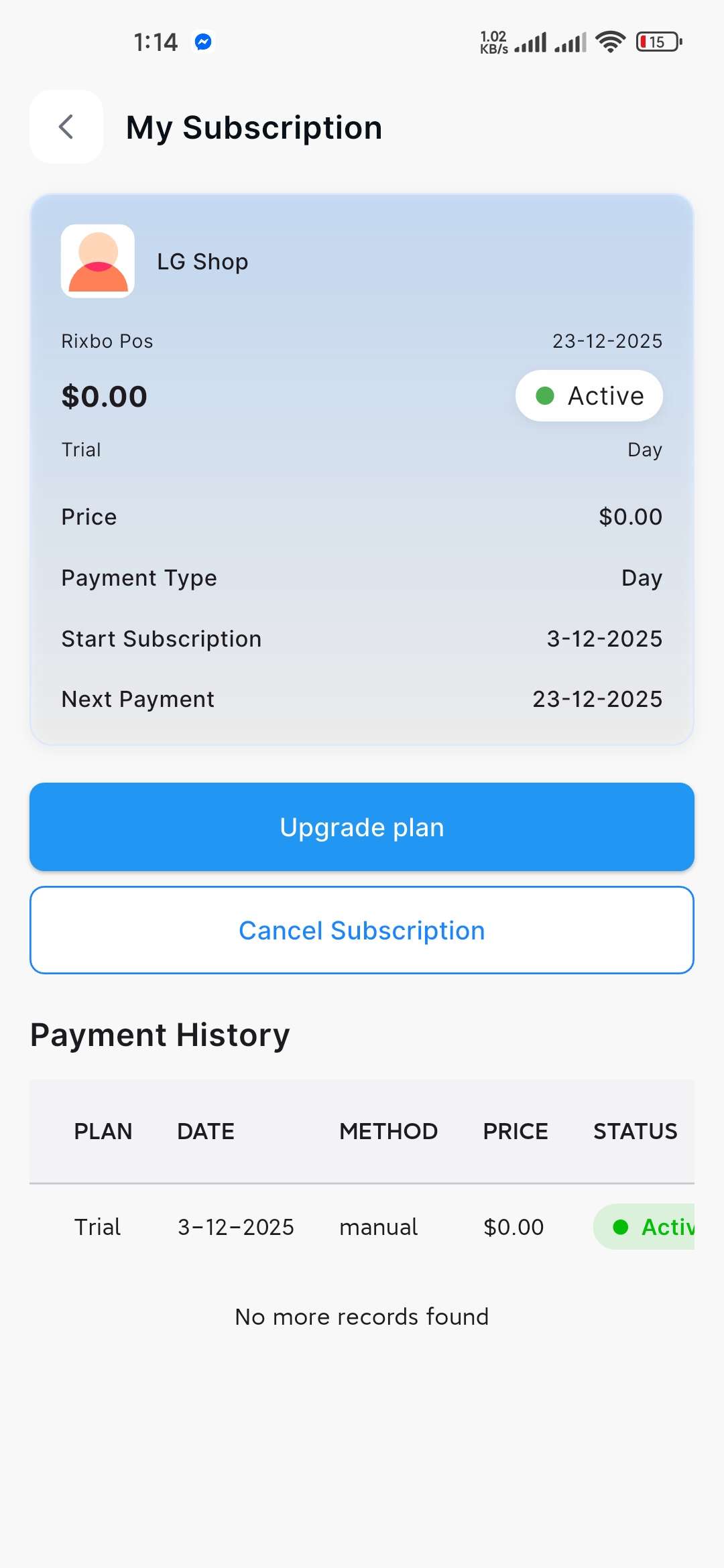
Finally, click My Subscription from the menu, and a new window will appear along with your subscription plan.
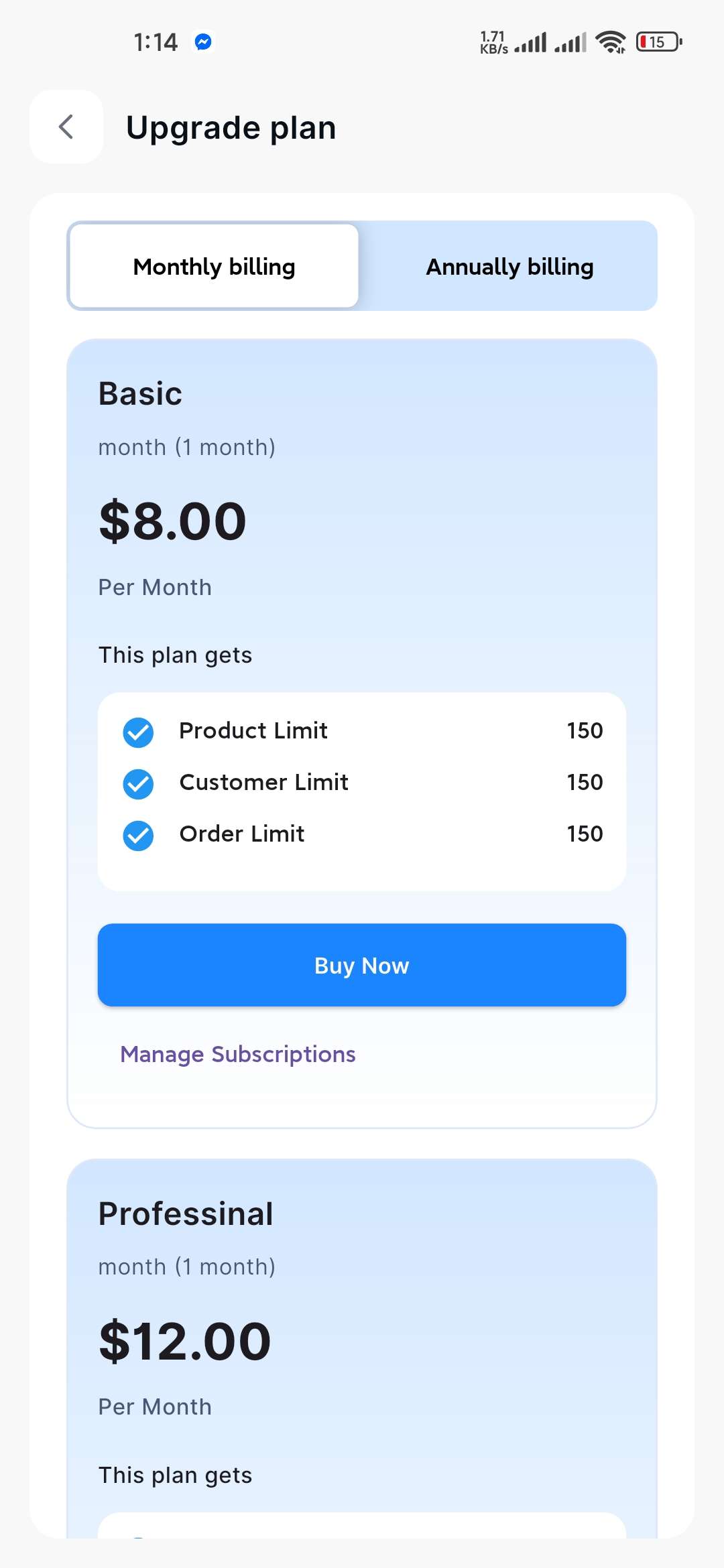
If you click the Upgrade Plan button, a new window will appear.
Choose either the Monthly Billing or Annual billing plan based on your preference.
To choose a subscription plan, click the By Now button for the available plan.