
Advice and answers from the Rixbo Team
Click on Rixbo Apps, and a new window will appear.
Click on the Login with Email button, and a new window will appear.
Click on the Log in button, and a new navigation menu will appear.
Click on the More button from the bottom navigation menu, and a new window will appear.
Click the Category button, and a new window will appear.
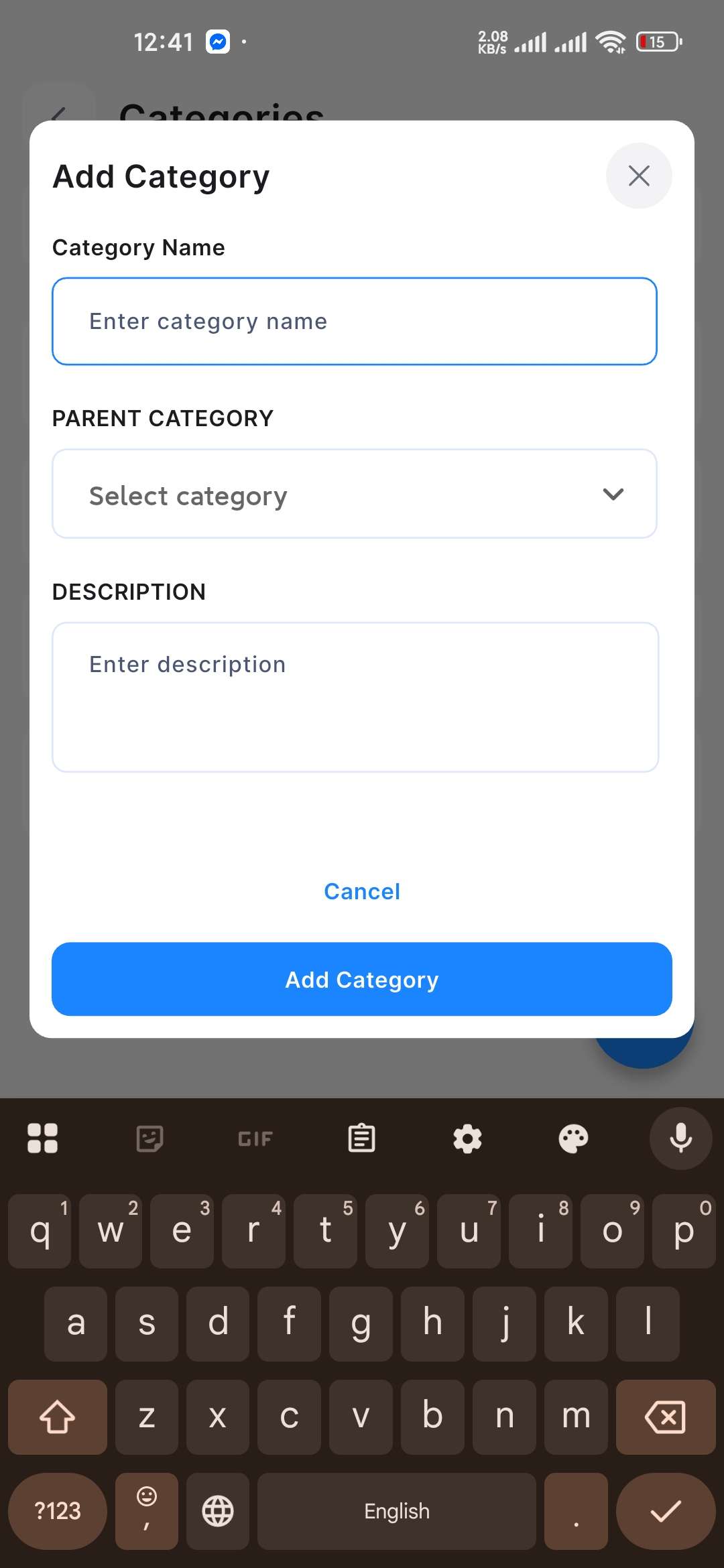
Navigate + (Plus) sign button from the bottom, and an entry form will appear.
Fill in the following details:
Category Name: Type the category name in the respective field.
Parent Category: Select parent category from the drop-down menu.
Description: Provide your desired description in the respective field.
Once all the fields are completed, click the Add Category button to add the category.